
Sharp Archive – SMS User Guideline
The user needs the Sharp Archive – SMS app and an invitation code from Sharp Archive.
⚠️ Important: Sharp Archive – SMS is not currently available on the Google Play Store; it is currently under review. The app must be downloaded using the link provided in the SMS Onboarding modal.
🛡️ 1. Disable Google Play Protect
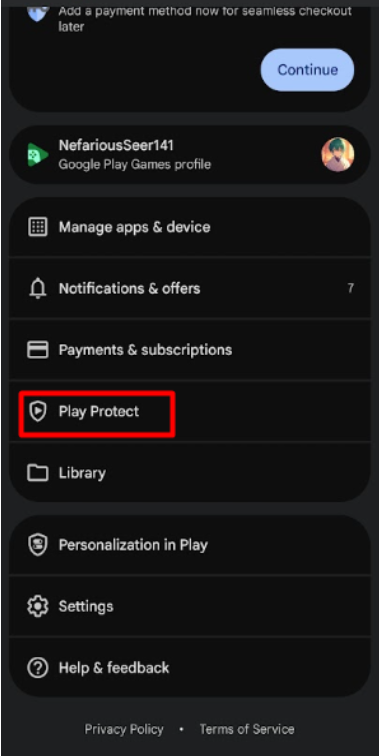
- Open the ▶️ Google Play Store.
- Tap your 👤 Profile icon.
- Select 🛡️ Play Protect.
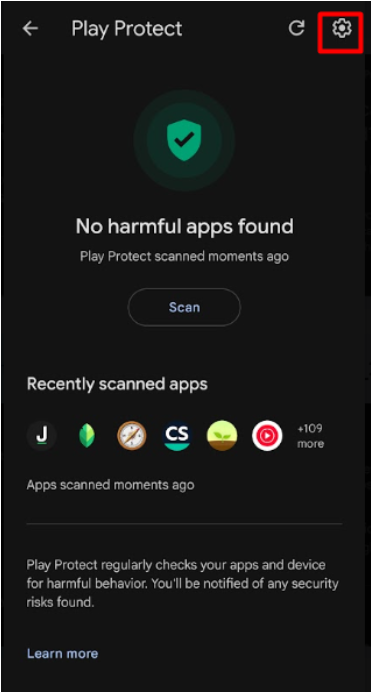
- Tap the ⚙️ Settings icon.
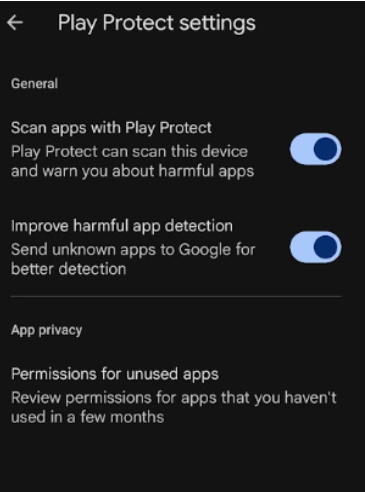
- Disable the available Play Protect options.
📥 2. Download & Install the App
- Log in to your Sharp Archive account.
- From the 🏠 Home page, select ➕ Add More Channels.
- Select Text. The 📱 SMS Onboarding modal will appear.
- Select the 💬 SMS icon.
- Use the ⬇️ Download link provided in the modal to download the Sharp Archive – SMS app.
- Install the app on your Android device.
- If your device restricts the installation because the app is not available on the Play Store, follow the device instructions to allow installation from the required source.
✉️ 3. Get an Invitation Code
From the previously displayed 📱 SMS Onboarding modal:
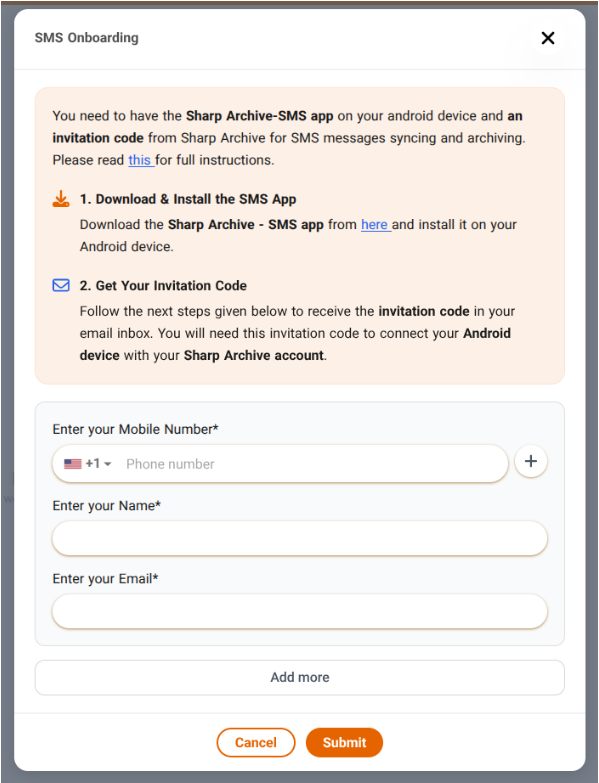
- Enter your 📞 Mobile Number.
- Enter your 👤 Name.
- Enter your ✉️ Email.
- Select Submit.
- An 🔑 Invitation Code will be sent to your email address.
🔐 4. Log In to the SMS App
Open the Sharp Archive – SMS app and enter:
- 📞 Mobile Number: Your mobile number
- 🔑 Invitation Code: The code received by email
- 🔐 Allow the permissions the app asks for and log in.
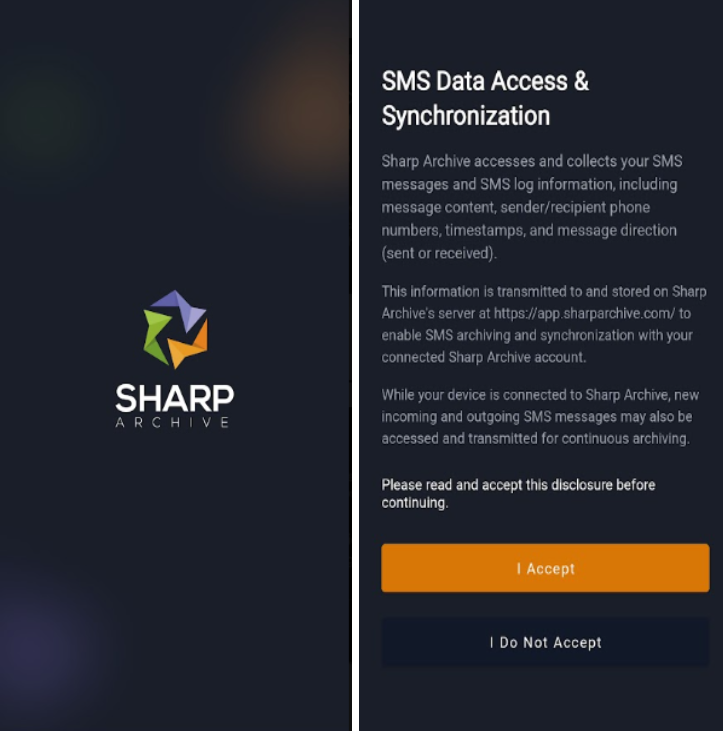
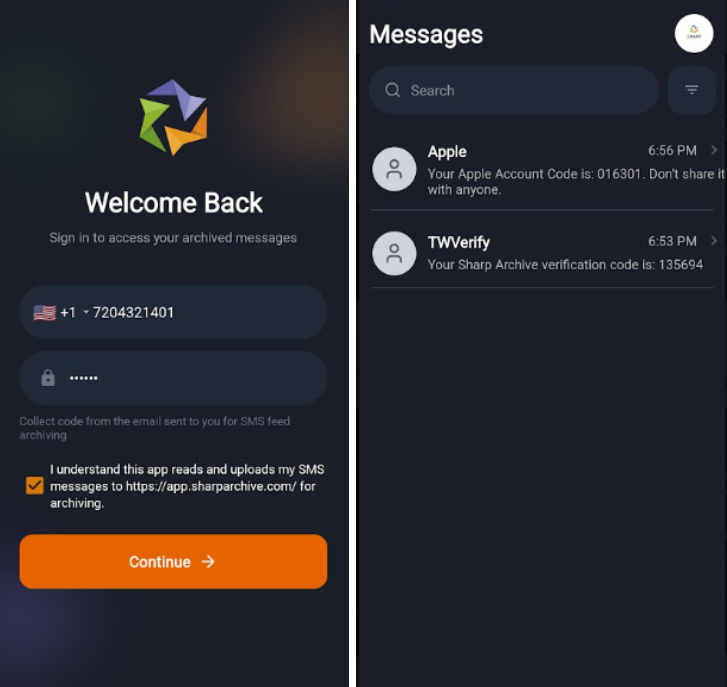
🔄 5. Connect Mobile Number
After connecting:
- Recent SMS messages, including messages from up to the last 15 days, will be fetched from all SIMs on the device.
- The messages will be uploaded to your Sharp Archive account.
- All 📥 incoming and 📤 outgoing SMS messages will continue to be archived after connection.
🔎 6. Verify Archiving
Send and receive SMS messages and verify that they:
- Appear in the 📋 Feed
- Are archived on the 🗄️ Archive page
🔌 7. Disconnect
To stop uploading SMS messages to Sharp Archive:
- Select 🚪 Log Out from the SMS app.
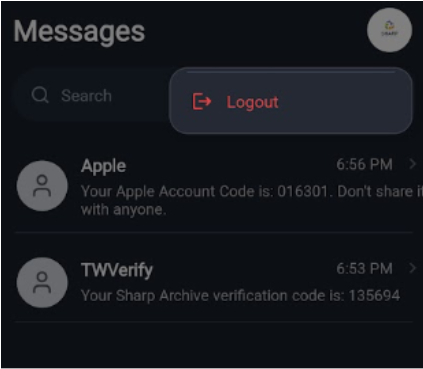
- Or, go to ⚙️ Settings → Services in Sharp Archive and disconnect the connected SMS account.